
GoHighLevel SMS Not Sending?
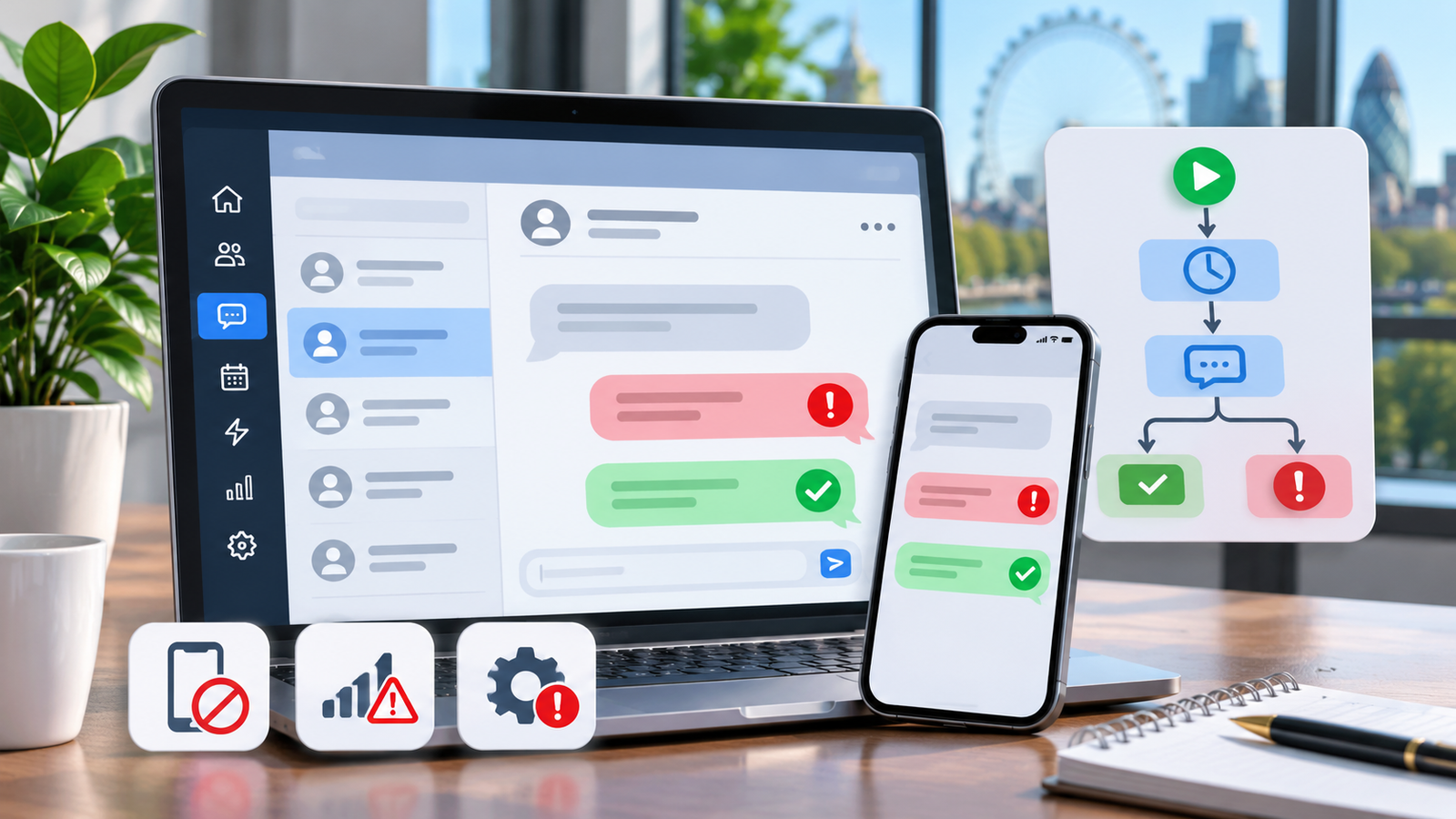
A London clinic relies on GoHighLevel to confirm bookings, remind patients about appointments and follow up with enquiries. Then customers start reporting missing text messages. Some SMS messages appear as failed, others show as sent, and automated appointment reminders stop arriving altogether.
The cause is not necessarily a broken automation.
GoHighLevel SMS delivery can fail because of incorrect telephone numbers, LC Phone configuration, recipient opt-outs, carrier filtering, messaging restrictions or workflow execution problems.
This guide explains how to identify the actual failure, interpret SMS error codes, investigate UK delivery issues and restore messaging safely without making the problem worse.
Why Is GoHighLevel SMS Not Sending?
GoHighLevel SMS may stop sending because the recipient's number is invalid, the selected sender cannot send SMS, the contact has opted out, or the message is blocked by a carrier. Other causes include LC Phone restrictions, daily sending limits, missing international permissions and failed workflow actions.
The first step is to check whether HighLevel attempted the SMS and what delivery status or error code appeared. A message rejected by a carrier requires a different solution from a workflow that never executed.
First, Identify Your GoHighLevel SMS Problem
Use this diagnostic table before changing any settings.
| Symptom | Possible Cause | First Check |
|---|---|---|
| SMS shows Failed | Sender, recipient or platform error | Open the message error details |
| SMS shows Undelivered | Carrier rejection or unreachable destination | Inspect the delivery code |
| Message shows Sent but is not received | Delivery still pending or carrier/device issue | Check provider status |
| Manual SMS works, workflow SMS fails | Workflow logic or automated sending restriction | Review workflow execution logs |
| Bulk SMS suddenly stops | Messaging limit or quality restriction | Check account warnings |
| Error 30007 | LeadConnector or carrier filtering | Review content, consent and sending history |
| Error 3111 appears | Potential account-level SMS pause | Read the exact accompanying restriction notice |
| SMS blocked by DND | Contact messaging preference | Inspect SMS DND and opt-out history |
| UK numbers cannot receive texts | International routing or sender configuration | Check country permissions |
| Number rejected | Incorrect E.164 formatting | Verify country code and destination |
| Sending number cannot send SMS | Sender capability or provisioning issue | Review Phone System configuration |
If only one recipient is affected, start with that contact. If dozens or hundreds of recipients fail simultaneously, investigate the sender, carrier, account restrictions and messaging activity first.
Understanding GoHighLevel SMS Delivery Statuses
A common troubleshooting mistake is treating every message that does not appear on a customer's phone as the same kind of failure.
| Status | What It Usually Means |
|---|---|
| Queued | Message is awaiting processing |
| Sending | The sending process is underway |
| Sent | Message has been submitted or accepted for onward delivery |
| Delivered | A successful delivery status was reported |
| Undelivered | The message could not be delivered |
| Failed | Sending or delivery encountered an error |
| Skipped | A workflow did not send the message because of logic, eligibility or another restriction |
These terms describe different stages of the messaging process. The exact status displayed depends on the provider and reporting interface.
Sent does not mean delivered. Delivered does not mean read.
A message can leave HighLevel successfully but subsequently encounter carrier filtering. Similarly, a workflow may run without successfully delivering its Send SMS action.
Understanding which stage failed is essential.
Step 1: Check the Failed SMS in Conversations
Start with the individual message rather than rebuilding the phone system.
- Open the affected HighLevel sub-account.
- Go to Conversations.
- Find the customer whose SMS failed.
- Open the conversation and locate the unsuccessful message.
- Select or hover over its warning indicator.
- Record the error code and displayed explanation.
- Confirm the sending number, recipient number and approximate timestamp.
- Determine whether the SMS was sent manually or through an automation.
HighLevel also provides failure information through contact activity and workflow execution logs.
For an unsuccessful message, record:
- The exact error code
- The sending and receiving numbers
- The message status
- The sending time
- Whether the issue affects other contacts
- Any relevant workflow name
Use HighLevel's SMS delivery troubleshooting documentation to interpret the next steps.
Practical tip: Compare three recent failures rather than changing settings based on one unsuccessful SMS. Matching error codes across multiple recipients often reveal a wider problem.
Step 2: Confirm Your LC Phone Number Can Send SMS
A telephone number capable of receiving voice calls is not necessarily suitable for sending SMS to every destination.
In the affected sub-account, review Settings → Phone System and the available phone-number configuration.
Confirm that:
- The sending number belongs to the correct sub-account.
- The number is active and fully provisioned.
- SMS capability is supported.
- The correct sender is selected.
- The destination country is permitted.
- Required sender registration or provisioning is complete.
- There are no account-level restrictions.
HighLevel supports LC Phone and Bring Your Own Twilio (BYOT) configurations.
With LC Phone, delivery issues are normally investigated using HighLevel's Conversations interface, Phone System reporting and LC Phone error information.
With BYOT, authorised administrators may also inspect their own Twilio Messaging Logs, including the Message SID, sender, recipient, timestamp, delivery status and error code.
Do not assume every LC Phone account has access to a separate customer-owned Twilio Console.
If an external integration controls message initiation or sender selection, investigate the GoHighLevel integrations configuration as well.
Step 3: Check UK Mobile Number Formatting
Incorrect telephone-number formatting is a common cause of failed messages, particularly after CRM imports.
HighLevel expects international E.164 formatting.
For example:
| Number Format | Example | Assessment |
|---|---|---|
| International UK mobile | +447700900123 | Correct format |
| UK national format | 07700 900123 | Convert or normalise for international routing |
| Duplicated country prefix | +4407700900123 | Incorrect |
| Missing digits | +447700900 | Incomplete |
| Non-mobile destination | UK landline | Check destination and provider support |
The example mobile number is illustrative, not a real customer contact.
When converting a UK mobile number, remove the leading national 0 and add +44.
Spreadsheet imports can introduce extra spaces, missing digits, duplicated country prefixes or incorrect cell formatting.
For repeated failures, check the original customer record and the actual number used by the message.
Some UK messaging providers support SMS-to-voice handling for landlines, but this should not be confused with normal mobile SMS delivery.
Step 4: Fix GoHighLevel SMS Error 30007
What does error 30007 mean?
Error 30007 means a message was filtered by LeadConnector or a mobile carrier.
The message may have been rejected because of its content, sender identification, consent quality, sending behaviour or applicable carrier policies.
It is not simply an indication of poor mobile reception.
Why does carrier filtering happen?
Potential causes include:
- Messages sent without appropriate permission
- High recipient complaint rates
- Inadequate business identification
- Missing or inappropriate opt-out information
- Misleading or prohibited promotional claims
- Suspicious shortened URLs or redirects
- Excessive sending frequency
- Large campaigns using stale contact lists
- Repetitive unsolicited message patterns
Carrier filtering can also occur because of provider-specific rules that are not fully exposed to the sender.
A message passing HighLevel's initial checks does not guarantee that the destination carrier will accept it.
How to investigate error 30007
1. Review the unsuccessful message.
Check the actual content, links, sender identity and intended purpose.
2. Verify permission.
Confirm how the recipient became eligible to receive SMS and whether the intended message is covered by that permission.
3. Compare other failures.
Determine whether the same sender, campaign, message template or recipient carrier appears repeatedly.
4. Review sending history.
Check whether delivery deteriorated after a campaign launch, an increase in messaging frequency or the use of an older audience.
5. Investigate account warnings.
A high filtering rate can contribute to messaging-quality restrictions.
6. Escalate unresolved compliant traffic.
If legitimate messages continue failing, HighLevel recommends gathering multiple recent examples and submitting them to support.
Include the relevant error codes, message timestamps, sending numbers and affected contacts, using secure support channels.
For more technical detail, consult HighLevel's error 30007 carrier-filtering guidance.
What should you avoid?
Do not repeatedly resend the same filtered message, rotate phone numbers to avoid filtering or remove compliance safeguards.
These actions do not establish the underlying cause and may further harm sending reliability.
Step 5: Investigate Error 3111 and Account-Level Sending Pauses
Some GoHighLevel users report seeing error 3111 alongside a notice that bulk and workflow SMS have been paused because of high opt-out or messaging-error rates.
However, error 3111 is not independently defined in the current public LC Phone error dictionary reviewed for this article.
Therefore, the correct action is to examine the exact notice displayed in your account rather than assume every occurrence has identical causes or recovery conditions.
A messaging-quality restriction may affect:
- Bulk messages
- Automated Send SMS workflow actions
- Campaign SMS
- Other restricted outbound messaging activity
Certain restrictions may still allow one-to-one Conversations replies.
This does not mean every type of account suspension or daily sending limit has the same exemption.
How to investigate
Check the account's messaging warning, any restriction history and recent delivery performance.
Ask:
- Did a large campaign recently begin?
- Were multiple messages filtered with error 30007?
- Did recipients opt out?
- Did the account reach a sending limit?
- Are one-to-one messages still available?
- Is a manual review required?
A messaging restriction is not the same as a carrier filtering one individual message.
Resolve the original sending problem before restarting affected campaigns.
Step 6: Understand HighLevel's November 2026 Messaging Quality Update
HighLevel updated its official LC Phone Messaging Quality Monitoring documentation on 10 November 2026.
The update explains improved safeguards being evaluated through a phased rollout.
These measures monitor two important signals:
Opt-out rate: The proportion of recipients opting out through recognised keywords such as STOP.
Error 30007 rate: The proportion of outgoing messages being filtered or blocked.
The documented monitoring approach considers sending history, including a rolling seven-day window and a minimum sending-volume requirement.
Published thresholds for participating accounts
| Account Category | Metric | Warning | Restriction |
|---|---|---|---|
| Young account | Opt-outs | 3% | 10% |
| Young account | Error 30007 | 10% | 50% |
| Mature account | Opt-outs | 4% | 6% |
| Mature account | Error 30007 | 15% | 25% |
| Mature account after restriction | Opt-outs | 4% | 10% |
| Mature account after restriction | Error 30007 | 15% | 40% |
A young account has fewer than seven days of SMS sending history, while a mature account has seven days or more.
For participating accounts, monitoring generally requires at least 500 messages in the relevant window before the documented safeguards trigger.
Each metric is assessed independently.
How long do restrictions last?
Under the updated participating-account system:
- A first temporary restriction may last 12 hours.
- A mature account can enter 72 hours of additional monitoring after restoration.
- A further restriction during that monitoring period may last 24 hours.
- Exceptional cases can require manual review rather than automatic restoration.
Eligible agency administrators may have access to an early-lift option, subject to the documented conditions. A manual-review restriction requires support intervention.
Important: The updated system is not yet universal. Other accounts may continue using earlier messaging-policy safeguards and different restrictions.
Check the actual restriction information inside your account before relying on a specific duration.
The current rules are documented in HighLevel's Messaging Quality Monitoring guide.
Step 7: Check SMS DND and Customer Opt-Outs
GoHighLevel uses Do Not Disturb (DND) settings to prevent communication where a contact is ineligible.
A contact may have:
- SMS-specific DND
- Broader or global DND
- A recorded unsubscribe
- A temporary delivery-related restriction
- A permanent opt-out restriction
Review the contact's messaging preferences and previous conversation activity.
Error 21610 commonly indicates an unsubscribed recipient or an applicable DND restriction.
HighLevel also distinguishes between temporary and permanent DND conditions.
A temporary technical restriction may be removable when the issue is properly resolved. A permanent opt-out should not be overridden by staff.
Where supported, a customer can independently resubscribe through a recognised opt-in keyword such as START.
However, the business must have a valid basis to resume messaging, and the customer must genuinely choose to receive messages again.
Never clear DND merely to continue promotional SMS.
Step 8: Fix Manual SMS Working but Workflow SMS Not Sending
This is one of the most important diagnostic differences.
A successful manual SMS does not prove that an automated workflow is functioning correctly.
Manual and automated SMS can encounter different execution conditions and account restrictions.
Compare manual and automated sending
| Check | Manual SMS | Workflow SMS |
|---|---|---|
| Message initiation | Staff action | Automation trigger |
| Workflow enrolment | Not required | Required |
| Workflow conditions | Not applicable | Must be satisfied |
| Sender eligibility | Required | Required |
| Contact SMS eligibility | Required | Required |
| Quality restrictions | Depends on restriction type | May pause automated sends |
| Main diagnostic location | Conversations | Execution Logs and Conversations |
How to troubleshoot the workflow
Go to Automation → Workflows and open the affected workflow.
Check whether the workflow is published and whether the expected contact entered it.
Next, inspect its Execution Logs.
There are three distinct possibilities:
Scenario A: The workflow never triggered.
Investigate enrolment, triggering conditions and contact eligibility.
Scenario B: The workflow triggered but never reached Send SMS.
Inspect conditional branches, waits, exit conditions and preceding actions.
Scenario C: The Send SMS action executed but failed.
Investigate the specific messaging error, selected sender, DND status, account restrictions and delivery logs.
Do not rebuild a working automation because its SMS provider rejected one message.
For technical configuration problems, review GoHighLevel workflow automation support.
For wider triggering problems, see the existing GoHighLevel Workflows Not Triggering guide.
Step 9: Check SMS Sending Limits and Ramp-Up Restrictions
HighLevel uses messaging controls to manage outbound sending capacity.
Two relevant models are:
Messaging Ramp: A level-based sending model that gradually increases permitted volume as an account develops sending history.
Messaging Limits: Configurable messaging capacity available to eligible accounts.
These controls are not interchangeable.
Depending on the account model, limits may involve message counts, message segments, daily usage or monthly usage.
Some eligible agency administrators can adjust supported messaging limits. Others must follow the ramp model or request assistance.
Review the account's available messaging settings and usage before assuming capacity is exhausted.
An SMS workflow action attempted during a sending-limit restriction can fail, and those failed actions are not automatically replayed when capacity returns.
Increasing a messaging limit also does not fix error 30007, invalid telephone numbers or missing consent.
Step 10: Diagnose UK Sender ID and Delivery Problems
UK SMS sending has specific sender and network requirements.
Twilio's published UK guidelines distinguish between domestic telephone numbers, short codes and alphanumeric Sender IDs.
Numeric versus alphanumeric senders
A supported SMS-capable telephone number can allow two-way messaging, subject to provider and route configuration.
An alphanumeric Sender ID displays a name rather than a normal reply-capable phone number. It can be useful for one-way branded notifications but is not equivalent to a standard two-way SMS number.
UK carriers also have restrictions involving certain protected or generic sender names.
If a sender name requires registration or approval, simply entering that name into a messaging configuration will not guarantee delivery.
Check:
- The sending number's country
- The destination country
- Whether two-way replies are required
- Sender ID availability
- Protected-brand requirements
- International messaging permissions
- Carrier-specific restrictions
Also verify that your actual LC Phone or BYOT configuration supports the intended sender option.
See the official Twilio UK SMS guidelines.
Step 11: Understand US A2P Errors Versus UK SMS Requirements
Many GoHighLevel tutorials focus on American messaging registration.
That can mislead UK businesses.
US A2P 10DLC concerns applicable application-to-person messaging using US ten-digit long-code numbers.
It is not a universal registration requirement for every SMS sent to a UK recipient.
Relevant errors include:
- 30032: Toll-free verification problem
- 30033: A2P campaign suspended
- 30034: Number not appropriately registered or associated with an approved A2P campaign
These errors require investigation of the actual sender type and applicable registration requirements.
A UK business using a US-originating number or another international sending configuration may still encounter sender-specific registration and routing conditions.
Check both the origin and destination before following a US-focused registration guide.
Step 12: Review Message Content and UK Consent Requirements
Even technically correct SMS settings cannot compensate for problematic sending practices.
For UK direct marketing, the Privacy and Electronic Communications Regulations (PECR) and UK GDPR may be relevant.
The ICO distinguishes between individual and corporate subscribers.
For unsolicited marketing SMS to individual subscribers, consent is generally required unless a valid exception, such as the products-and-services soft opt-in, applies.
That exception has specific conditions involving how contact details were obtained, the relationship with the customer, the products or services promoted and opportunities to opt out.
Corporate-subscriber rules differ, but sender identification, opt-out arrangements, applicable data protection obligations and provider policies still matter.
Owning a customer's telephone number does not automatically establish permission to send promotional texts.
Review:
- How contact details were collected
- What messaging the customer agreed to receive
- Whether the intended content is promotional or transactional
- Whether an applicable soft opt-in genuinely applies
- Whether opt-out instructions are appropriate
- Whether earlier objections have been respected
See the ICO's official electronic marketing guidance.
This is general compliance information, not legal advice.
Step 13: Use Messaging Analytics to Identify Failure Patterns
HighLevel's Messaging Analytics can help identify whether the issue is isolated or widespread.
The documented navigation is:
Settings → Phone System → Messaging → Messaging Analytics
The reporting interface provides metrics including:
- Sent messages
- Delivered messages
- Failed messages
- Received messages
- Opt-out rate
- Failure reasons
- Message-level error details
- Messaging source information
The current documented experience opens with a 30-day reporting period and supports analysis of up to 90 days.
Example: One failure versus hundreds of failures
Imagine a UK agency has 600 recent SMS attempts.
If one recipient repeatedly fails with error 21211, the priority is validating that contact's number.
If a substantial group fails with error 30007 after a campaign change, the priority becomes consent, message content, sending practices and carrier filtering.
If workflow messages suddenly stop while some manual replies continue, investigate messaging restrictions alongside workflow execution logs.
The number of affected contacts and the distribution of errors are often more useful than the total failed-message count alone.
Use analytics to identify the pattern, then inspect individual message records for the exact explanation.
Step 14: Check Failed SMS Workflow Logs
When automated customer messages stop, inspect the relevant workflow execution history.
Open the affected workflow and select the appropriate contact execution.
Look for:
- Whether the contact entered the workflow.
- Whether the conditions were satisfied.
- Whether Send SMS was reached.
- Whether the action succeeded or failed.
- Whether an error was recorded.
- Whether DND or a sending restriction applied.
If the Send SMS action was never reached, the problem is upstream of delivery.
If the action was attempted, inspect its messaging status and related conversation.
HighLevel warns that SMS actions failing during sending restrictions or exhausted limits are not necessarily retried after service is restored.
Review the affected contacts individually before planning recovery.
Avoid blindly re-enrolling an entire audience, which could produce duplicated messages or contact customers who are no longer eligible.
Step 15: Common GoHighLevel SMS Error Codes and Fixes
Use the following reference for common SMS failures.
| Error Code | Meaning | First Recommended Action |
|---|---|---|
| 21211 | Invalid destination number | Verify and correct E.164 formatting |
| 21408 | Sending to destination region not permitted | Check regional availability and permissions |
| 21606 | Invalid or unavailable sending number | Verify sender provisioning and capability |
| 21610 | Recipient unsubscribed or SMS DND enforced | Respect opt-out and review eligibility |
| 21614 | Destination is not a valid mobile number | Confirm recipient number type |
| 21635 | Destination identified as unsupported landline | Check an alternative contact method |
| 21661 | Sender not SMS-capable | Select a supported sending number |
| 30002 | Account suspension affected sending | Investigate account status with support |
| 30003 | Recipient unreachable or unavailable | Verify number, device and carrier |
| 30004 | Message blocked or destination unavailable | Inspect DND, destination and failure details |
| 30005 | Inactive or nonexistent number | Correct or exclude the destination |
| 30006 | Landline or unreachable carrier | Verify number capability and routing |
| 30007 | Message filtered | Investigate content, consent and carrier filtering |
| 30008 | Unknown delivery failure | Review message details and test appropriately |
| 30023 | Applicable daily message cap reached | Review sending capacity |
| 30032 | Toll-free number not verified | Check required verification |
| 30033 | US A2P campaign suspended | Investigate campaign registration status |
| 30034 | US A2P number registration issue | Confirm approved campaign association |
| 30037 | Outbound messaging disabled | Check account restriction and contact support |
These descriptions follow HighLevel's published error references. Regional applicability and account configuration matter.
For a complete technical dictionary, use the official LC Phone error-code documentation.
Do not treat error 30007, a quality restriction and a failed workflow trigger as interchangeable problems.
Step 16: Restore SMS Sending After a Restriction
A responsible recovery process begins with understanding why sending was restricted.
Use this sequence:
- Identify the restriction message and affected activities.
- Review any quality warnings and restriction history.
- Pause the problematic campaign or workflow where appropriate.
- Inspect opt-out and error 30007 trends.
- Validate contact permission and message relevance.
- Exclude invalid or ineligible recipients from future sending.
- Correct verified sender or configuration errors.
- Review the account's documented restoration options.
- Request a provider review if required.
- Conduct controlled testing using authorised recipients.
- Monitor failures after sending becomes available.
For accounts in the updated quality-monitoring rollout, eligible administrators may have a self-lift control for certain temporary restrictions.
However, ending a restriction early does not reset poor sending-quality metrics.
Manual-review restrictions require a decision from HighLevel support.
Never restart the same problematic campaign simply because a restriction has expired.
Step 17: Build an SMS Failure Monitoring Workflow
Businesses should not need to discover failed appointment reminders days after customers complain.
HighLevel documents a workflow trigger called Messaging Error - SMS.
It can respond to supported undelivered-message error codes.
A practical internal monitoring process is:
SMS delivery error → Categorise error → Notify responsible staff → Create investigation task → Review message and contact eligibility
To implement it:
- Open Automation → Workflows.
- Create an SMS error-monitoring workflow.
- Select the Messaging Error - SMS trigger.
- Add supported error-code filters where appropriate.
- Configure an internal notification or task.
- Include enough information for staff to identify the affected message.
- Test with a controlled failure scenario.
- Publish and monitor the workflow.
For example, repeated 30007 failures could create an internal technical alert rather than another outbound message.
A recipient opt-out could trigger an internal review of contact eligibility without attempting a new SMS.
Limit duplicate alerts and avoid exposing unnecessary personal information in notifications.
The monitoring workflow should support diagnosis, not automatically retry every failed message.
Step 18: Test GoHighLevel SMS Delivery Safely
After correcting an identified issue, run a controlled end-to-end test.
Use an authorised test contact and a short, legitimate message.
Test procedure
Test A: Manual messaging
Confirm the correct sending number, destination formatting, account status and message delivery result.
Test B: Workflow messaging
Enrol the authorised test contact in a suitable workflow and confirm that the Send SMS action is reached and executed.
Test C: Delivery reporting
Compare the conversation status with Messaging Analytics and execution logs.
Test D: Reply handling
Where using a reply-capable sender, confirm that an authorised reply appears in Conversations.
Test E: Consent and DND
Check that the workflow respects existing contact messaging restrictions. Use a controlled test record rather than changing a real customer's preferences.
Test F: Multiple legitimate destinations
If carrier-specific routing is suspected, test using authorised numbers on relevant supported networks.
Record the result of each test. If an issue remains, preserve the exact error evidence for escalation.
Do not send test campaigns to unsuspecting customers.
GoHighLevel SMS Failure Decision Tree
Use this decision tree when the reason for failure is unclear.
1. Was the SMS action attempted?
- No: Inspect the workflow trigger and execution path.
- Yes: Continue.
2. Is the sending number valid and eligible?
- No: Correct provisioning, capability or routing.
- Yes: Continue.
3. Is the recipient eligible?
- No: Investigate invalid details, DND or opt-out.
- Yes: Continue.
4. Did the messaging provider accept the attempt?
- No: Inspect the exact provider or account error.
- Yes: Continue.
5. Was the message filtered or rejected?
- Yes: Investigate error 30007 or the returned delivery code.
- No: Check the reported delivery state and destination.
6. Is a sending restriction active?
- Yes: Follow the account-specific recovery process.
- No: Investigate other sender, provider or carrier conditions.
7. Is support escalation necessary?
If the failure continues after verified configuration and consent checks, gather message examples and contact the relevant support provider.
The objective is to identify the failing stage before making changes.
Example: A Manchester Dental Clinic With Two SMS Problems
The following scenario is hypothetical and illustrates the diagnostic process.
A Manchester dental clinic uses GoHighLevel for appointment confirmations and reminders.
Some patients report missing texts. Meanwhile, automated reminder messages have stopped for several bookings.
The clinic's administrator checks Conversations and finds two different patterns.
Problem 1: Invalid recipient numbers
Several imported patient records have incorrect UK mobile formatting.
These contacts require data correction and appropriate validation before further messaging.
Problem 2: Automated SMS restrictions
Workflow execution logs show failed Send SMS actions during a period of account-level messaging restrictions.
The clinic reviews the restriction notice, recent opt-outs, message filtering and relevant sending history.
It pauses affected automated activity while investigating the cause.
After addressing the underlying problems and following the applicable restoration process, the team tests messaging with authorised contacts.
The key lesson is that correcting imported telephone numbers alone would not resolve the separate account restriction.
Common GoHighLevel SMS Problems: Quick Fixes
| Problem | Best Starting Point |
|---|---|
| All SMS stopped | Account status, sending limits and restrictions |
| Only one customer fails | Recipient formatting, DND and exact error |
| Error 30007 | Carrier filtering, content and consent |
| Error 3111 shown | Exact account notice and restriction history |
| Manual SMS works but automation fails | Workflow execution and sending eligibility |
| Workflow never sends | Trigger, enrolment and action path |
| Bulk SMS stopped | Quality monitoring and capacity |
| UK delivery fails | Sender type, E.164 and international routing |
| Contact replied STOP | Respect opt-out; do not force resubscription |
| Sender cannot send SMS | Number capability and provisioning |
| Daily limit reached | Applicable Ramp or Messaging Limits model |
| US registration error | Sender origin and registration association |
| Delivered but customer cannot find SMS | Verify provider result and device/carrier context |
This is a starting-point guide rather than a substitute for investigating the message's actual failure record.
How to Prevent Future GoHighLevel SMS Delivery Problems
Reliable SMS communication depends on ongoing account management, not only occasional repairs.
Establish a routine that includes:
- Validating customer telephone numbers when records are created or imported
- Recording appropriate SMS consent and communication preferences
- Identifying the sending business clearly
- Respecting unsubscribe requests
- Excluding invalid and previously opted-out contacts
- Reviewing recurring error codes
- Monitoring filtering and opt-out rates
- Testing booking reminders and important automations
- Checking account sending limits before planned campaigns
- Reviewing message templates and sending frequency
- Following relevant UK messaging requirements
- Reviewing HighLevel platform updates
For agencies managing multiple clients, regular account checks can identify configuration inconsistencies before they affect important customer communications.
The objective is to reduce avoidable failures, not promise perfect delivery.
When Should You Hire a GoHighLevel SMS Specialist?
Some SMS problems are straightforward. A single invalid number or an incorrectly configured workflow action may be resolved by an experienced administrator.
Other problems require deeper investigation.
Professional support can be valuable when:
- Appointment reminders repeatedly fail
- Carrier filtering continues despite legitimate sending practices
- Bulk and workflow SMS are restricted
- Several sub-accounts show recurring failures
- Manual SMS succeeds but automated messaging fails
- Delivery analytics show conflicting patterns
- Sender configuration is unclear
- An inherited CRM contains undocumented workflows
- Provider escalation requires technical evidence
GHL Experts UK provides independent technical assistance for businesses and marketing agencies using GoHighLevel.
Support can involve reviewing LC Phone settings, investigating error codes, checking messaging restrictions, inspecting automation execution and identifying appropriate configuration changes.
When issues affect multiple parts of the CRM, a structured GoHighLevel account audit may help establish the scope before changes are made.
For recurring failed messages and technical delivery problems, explore professional GoHighLevel SMS troubleshooting and support.
The aim is to identify the underlying problem, document the findings and apply controlled corrections where possible.
Carrier and platform restrictions remain subject to the relevant provider's policies.
Conclusion: Fix the Cause Before Resending
When GoHighLevel SMS is not sending, begin with the evidence rather than changing unrelated settings.
Follow this order:
Inspect the failed message → Identify the error code → Verify sender and recipient → Check DND and consent → Review account restrictions → Inspect workflow execution → Test safely.
Error 30007 filtering, invalid UK numbers, paused automated SMS and broken workflow execution all require different responses.
Increasing sending limits or repeatedly retrying messages may leave the underlying problem unresolved.
If failed SMS messages are affecting appointment reminders, customer follow-ups or important business communication, GHL Experts UK can help investigate your existing account and recommend appropriate technical fixes.